Oak Lane Academy
Designing for Cognitive Load in Educational Technology
Executive Summary
Context
Designing a learning management system for home education—an environment where the administrator is also the primary instructor, with no IT support and intermittent usage patterns. 50-state compliance requirements.
Constraints
Three users at radically different developmental stages. Single-operator system requiring minimal cognitive overhead. 50-state compliance documentation with zero dedicated admin time.
My Role
Sole researcher, designer, and developer. Applied UX research methods including observational research, behavioral design analysis, and cognitive science integration.
Outcome
Validated SM-2 spaced repetition integration, compliance-as-byproduct pattern, and behavioral design model with real daily users—measurable through sustained engagement and learning outcomes.
Role
Independent Researcher & Designer
Duration
2024 - Present
Focus
UX Research & Design
The Problem
Home education presents a unique design challenge: the system administrator is also the primary instructor, curriculum planner, and compliance officer—all roles held by a single person with no dedicated IT support. Most learning management systems are designed for institutions with dedicated staff for each function. They assume continuous usage patterns and technical literacy that doesn't match this context.
The core design challenge: how do you design a system for an intermittent expert user who needs to manage curriculum planning, progress tracking, and state compliance documentation—without the cognitive overhead that causes abandonment?
The Users
Three distinct users, one adaptive system—mirroring the multi-stakeholder design challenge common in complex professional tools:
The Primary Operator
- Responsible for curriculum planning, daily activity capture, and state compliance documentation
- No IT support, no dedicated admin time
- Intermittent expert user—uses system in bursts between active teaching
- The person the entire UX is designed for
User A — Age 5
- Curriculum tracking and structured learning pathways
- Reading and writing skill progression
- Subject-aligned activity documentation
- Needs clear learning pathways with measurable outcomes
User B — Age 3
- Developmental milestone documentation
- Early literacy and numeracy tracking
- Guided activity tracking (not formal curriculum)
- Needs flexible, milestone-based approach
The information architecture had to accommodate structured curriculum tracking, flexible milestone documentation, and a single operator's workflow within the same interface—without forcing context-switching between entirely different mental models.
Research & Discovery
I applied the same observational research methods I use in my professional work—separating my role as a stakeholder from my role as a researcher: documenting behaviors, not interpreting them through personal bias.
Key Observations
Four recurring anxieties drive user behavior: “Am I doing enough?”, “Will they fall behind?”, “Am I qualified?”, and “What am I missing?” Every design decision must reduce, not amplify, these anxieties.
Learning moments happen during play and active teaching. The operator has roughly 10 seconds to document before the moment passes. If capture takes longer, the data simply doesn't get recorded.
Operators need to plan curriculum AND prove they followed it. These are two sides of the same coin—the system must treat planning and documentation as a unified workflow, not separate tasks.
State documentation requirements should be satisfied as a byproduct of normal usage—not as a separate administrative burden. When compliance feels like extra work, it gets deferred indefinitely.
Design Approach
Three design principles guided every decision:
Progressive Disclosure
Show only what the user needs at each stage. Advanced features (compliance reports, analytics, spaced repetition settings) are accessible but never in the way of daily tasks.
Cognitive Load Reduction
Minimize decisions required per interaction. Smart defaults, AI-suggested subjects from photo analysis, and contextual suggestions reduce the mental effort of daily logging.
Behavioral Design (HOOKED Model)
Nir Eyal's Hook Model applied to sustained engagement:Trigger: Review queue notifications, compliance alerts, streak remindersAction: One-tap capture, quick-save with minimal fieldsVariable Reward: Progress visualization, streak celebrations, confettiInvestment: Growing portfolio, learner profiles, compliance history
Cognitive Science Integration
Beyond standard UX patterns, this project integrates evidence-based psychological principles into core design decisions:
SM-2 Spaced Repetition Engine
An enhanced SuperMemo (SM-2) algorithm schedules concept reviews at scientifically optimal intervals. The system tracks retrieval outcomes—forgot, struggled, or instant recall—and adapts per-child retention patterns over time.
Without review
80% forgotten
within 1 week (Ebbinghaus forgetting curve)
With spaced repetition
90%+ retained
long-term with optimally timed reviews
Named UX Principles Applied
Miller's Law
7±2 items max per view—chunked navigation and limited options per screen
Hick's Law
Fewer choices = faster decisions—progressive disclosure reduces choice paralysis
Fitts's Law
Large touch targets for mobile-first capture during active teaching moments
Zeigarnik Effect
Incomplete checklists and review queues drive return visits and task completion
Peak-End Rule
Session-end celebrations and progress summaries shape positive memory of interactions
Key Features
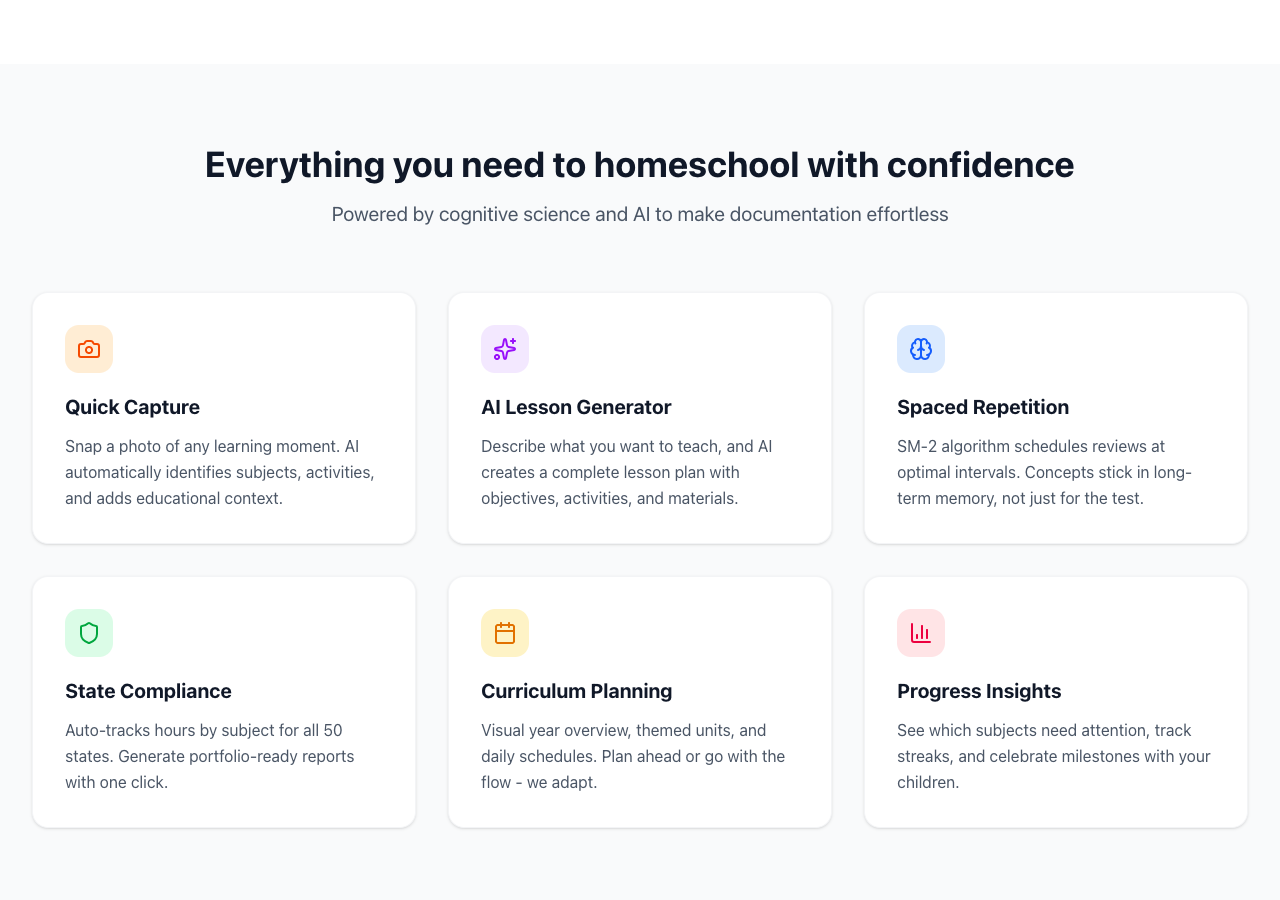
1. Quick Capture (10-Second Flow)
Photo → child → date → save. AI suggests subjects from image analysis. “Save Quick” for instant capture, “Add Details Later” for guilt-free drafts. Designed around the observation that operators have a 10-second window before the teaching moment passes.
2. Flow State Mode
“Start Day” launches an immersive teaching mode. Auto-timer tracks elapsed time. Activity checklists with completion tracking. Photo captures auto-link to the current lesson. Teaching guides surface how-to-teach context in the moment. Celebration on day completion.
3. Smart Timeline
Blog-style activity cards where photos are hero content. Visual distinction between curriculum-linked and spontaneous activities. The timeline IS the portfolio—compliance data embedded in family storytelling.
4. Compliance as Byproduct
Activities auto-populate a compliance ledger (single source of truth). 900 hours / 180 days tracked without dedicated admin sessions. One-click state-compliant report generation. The operator never “does compliance”—it happens as a natural consequence of daily use.
5. Spaced Repetition Engine
SM-2 algorithm schedules concept reviews at optimal intervals. Tracks retrieval outcomes (forgot / struggled / instant recall). Per-child retention patterns adapt over time. Visual forgetting curve shows each learner's mastery journey.
Outcomes
Design Validation
The system is in active daily use with consistent engagement—no abandonment. These outcomes validate that the information architecture, cognitive science integration, and behavioral design patterns work for real users in real conditions:
- User A (age 5) is reading and writing independently—task completion rates for the curriculum tracking system demonstrate that the structured learning pathways are effective
- User B (age 3) is actively progressing through early literacy milestones, with developmental progress consistently documented—validating the flexible milestone-based tracking approach
- State compliance documentation generated from normal activity logging—zero dedicated compliance sessions required
- Spaced repetition reviews show measurable improvement in concept retention across both learners
- System in active daily use with consistent engagement—evidence that the cognitive load reduction and behavioral design strategies are working
Skills That Transfer
This project provided a controlled environment to apply UX research methods outside the constraints of a corporate setting. These aren't domain-specific methods—they're UX research skills that apply across industries:
- Observational research in natural environments—documenting real user behavior rather than relying on self-reported preferences
- Progressive disclosure for complex interfaces—managing information density so users see what they need when they need it
- Cognitive load management for time-pressured users—designing interactions that respect the user's attentional constraints
- Designing for intermittent expert users—supporting quick re-orientation after gaps in system usage
- Behavioral design for sustained engagement—applying the HOOKED model to build habit-forming interaction loops without dark patterns
What I Learned
- Observational distance matters: Separating the researcher role from the stakeholder role requires deliberate practice—a skill that translates directly to avoiding confirmation bias in usability studies
- Designing for multiple user models is harder than designing for one: The information architecture challenge of supporting both structured and flexible tracking in one system mirrors any multi-stakeholder design problem
- Quick capture is a design philosophy, not a feature: Every interaction must respect the user's context—if data entry takes too long, the data simply doesn't get entered
- Compliance as a byproduct validates good IA: When regulatory documentation generates itself from normal usage, the information architecture is doing its job
Methods & Skills Applied
Research Methods
- Observational Research
- Task Analysis & Workflow Mapping
- Behavioral Design Analysis (HOOKED Model)
- Mental Model Mapping
- Cognitive Science Integration (SM-2)
- User Persona Development
- Iterative Design Validation
- Cognitive Walkthrough
Technology & Design
- Information Architecture Design
- Progressive Disclosure Patterns
- Responsive Interface Design
- Next.js, TypeScript, PostgreSQL
- Prisma, Vercel, Anthropic Claude API
- Stripe, Tailwind CSS